Point of sale
Cash, card, and check — checks keep the check number. Split tender, gift cards, and store credit are all on the payment sheet.
 Live pilot
Point-of-sale and shipping in one place for print-and-ship shops. Ring up the sale, print the label, and move on to the next customer.
ShipBox is a product of RouteSurge LLC, doing business as ShipBox.
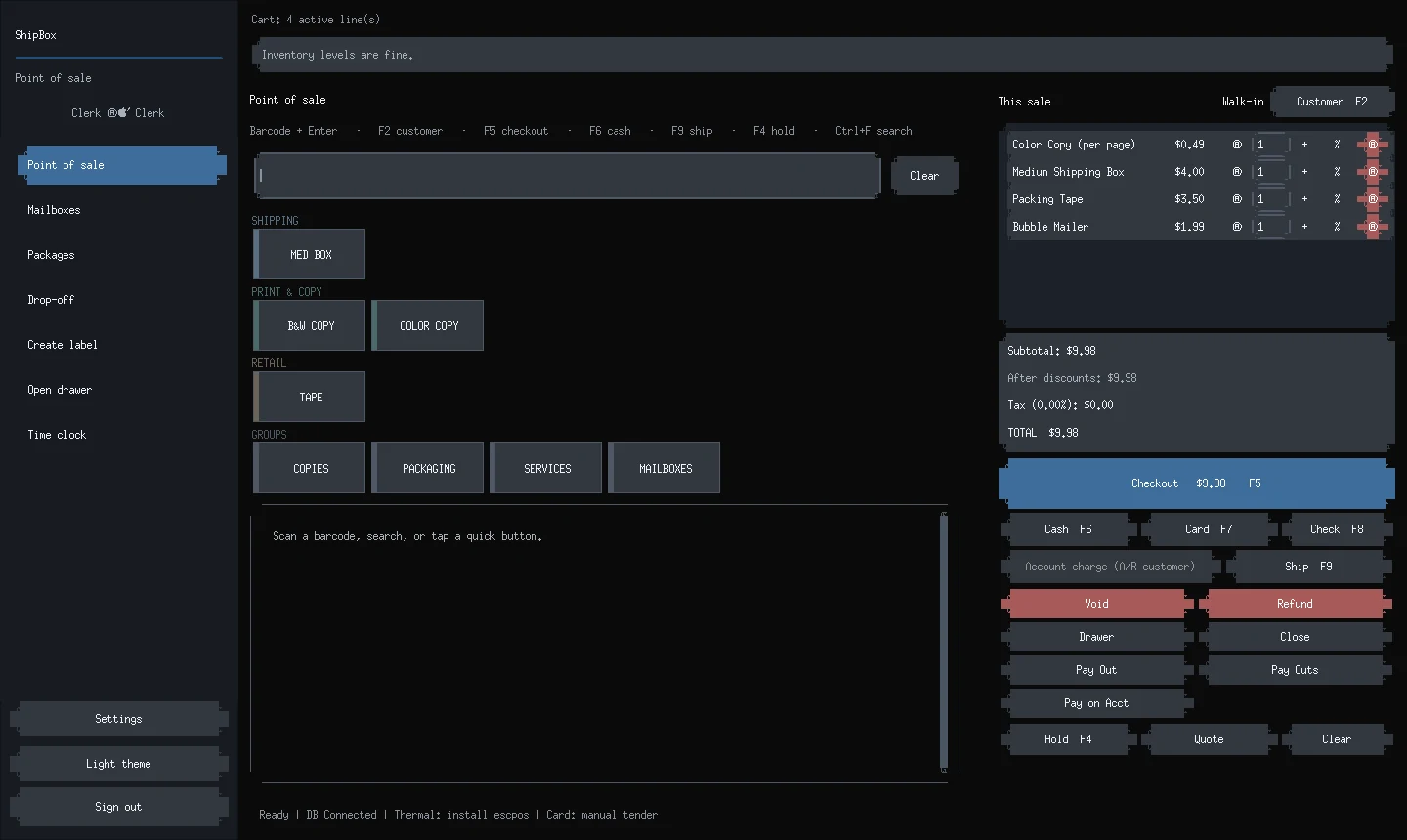
The register, from a generic demo. Not a live shop.
The features below are in the software today. Each shop uses its own carrier accounts, and setup is kept short: address autocomplete is built in.
Cash, card, and check — checks keep the check number. Split tender, gift cards, and store credit are all on the payment sheet.
Compare rates and print labels from the register. Carrier support for USPS, UPS and FedEx, using each shop's own carrier accounts.
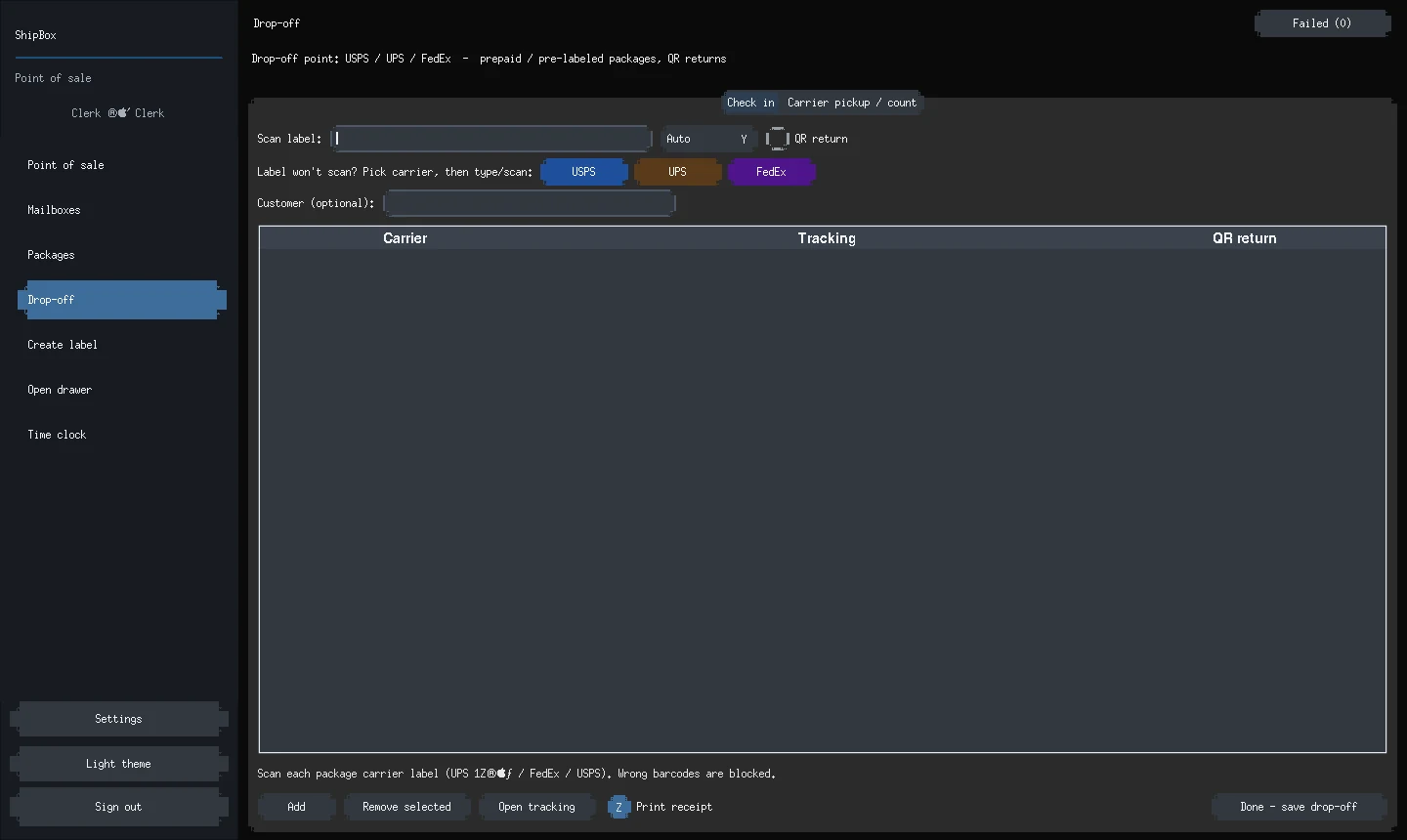
Check in prepaid carrier drop-offs at the counter. If a drop-off does not go through, the register keeps it and you can try again.
Rentals with renewal notices and badges, mail forwarding, and USPS Form 1583 support in the United States.
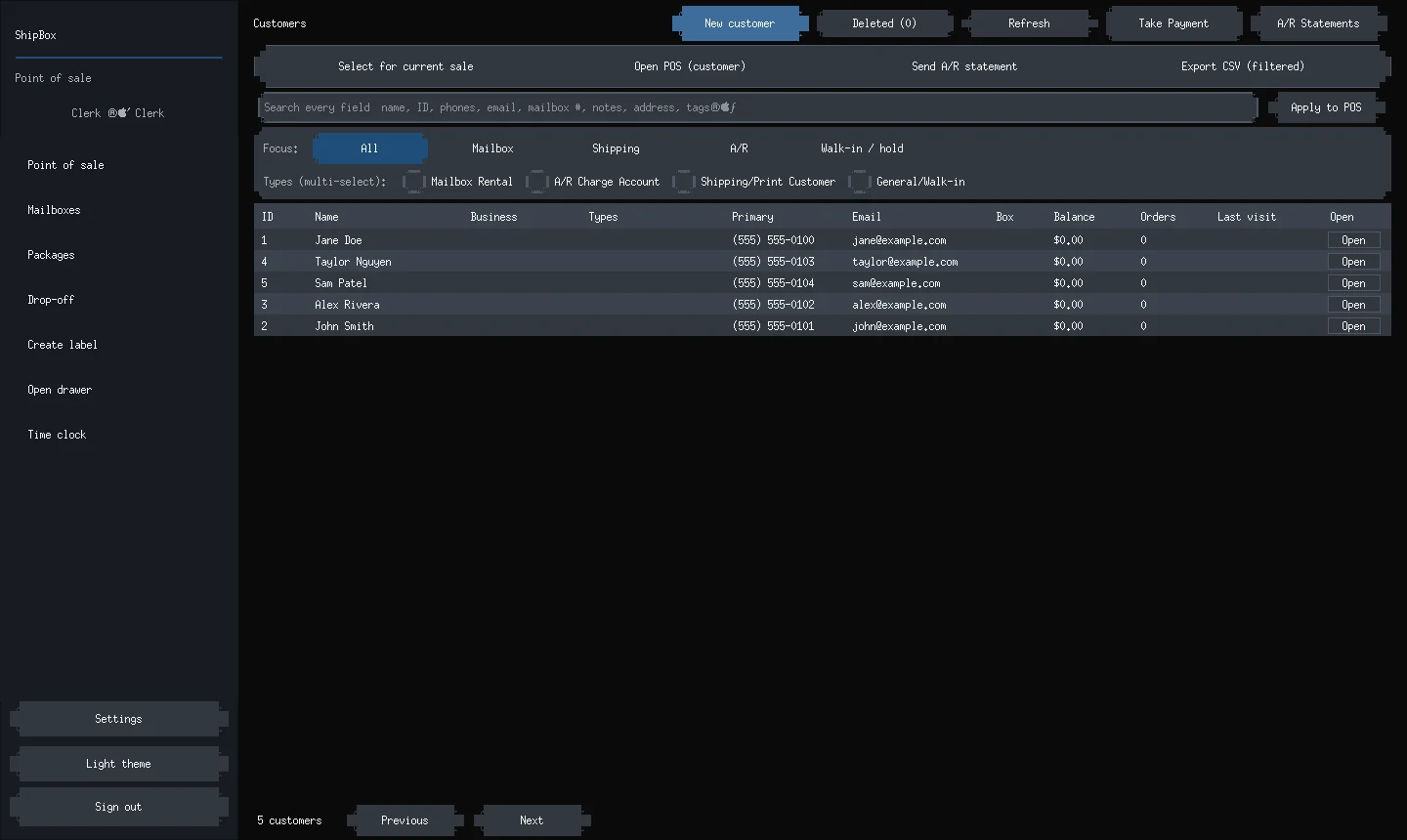
Customer records with more than one address, plus house (A/R) accounts and statements for shops that bill on account.
Keep the copies, boxes, and counter items you sell in one catalog, and ring them up without leaving the sale.
Open and close the drawer with a count, then print an end-of-day report that matches what the close screen shows.
Staff sign in with PINs. Cost and profit stay on the owner's screen. Two registers can share one shop database on the shop network.
A task board lives inside ShipBox, so counter work and back-room follow-ups stay in the same place as the register.
These pictures come from a clean ShipBox install filled only with generic demo customers and catalog items. They are not from a live shop.
We label each product with where it really is — not where we hope it will be. ShipBox is in use, and a few enrollments are still in progress.
We will add carriers as they are ready, not before.
USPS, UPS and FedEx support, on each shop's own carrier accounts, in a live pilot.
DHL Express.
Regional carriers, then international shipping.
If you run a print-and-ship shop and want to join the ShipBox pilot, write to us. Tell us about your counter and we will get back to you. There is no signup form and no payment to send.
Or write to us at [email protected]